GTA IV / Arabalar / Diğer
Velvet V6 1.0.0
- Penandpaerdamn | yükleyen: Penandpaerdamn
- libertygrage.github.io/velv...
- 11/28/2026
- 77 İndirme
Puanlamalar:
Lütfen önce giriş yap.
Favoriler:
Videolar
Henüz hiç video eklenmedi.Bu moda video eklemek için giriş yapmış olman gerekir.
Açıklama
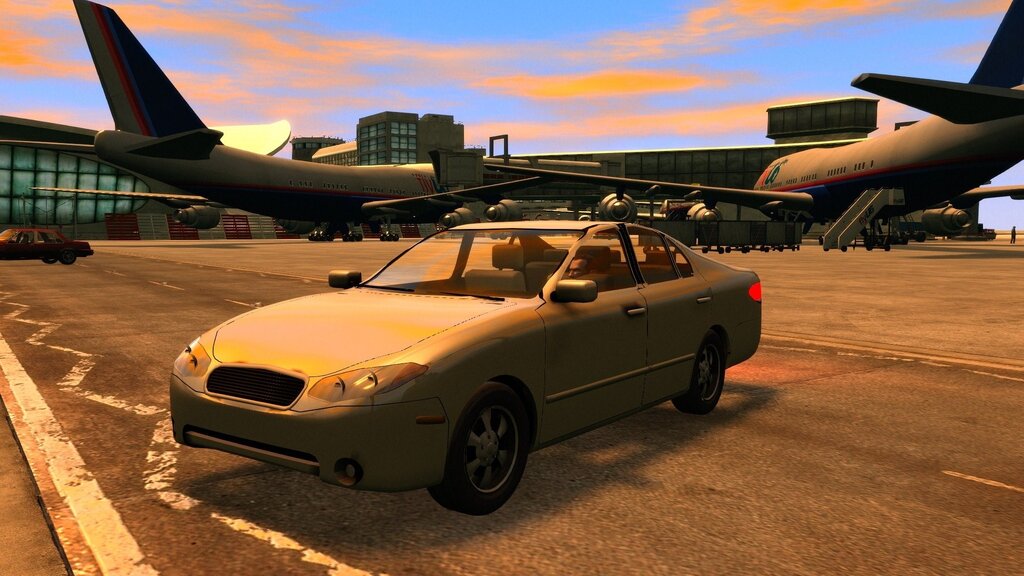
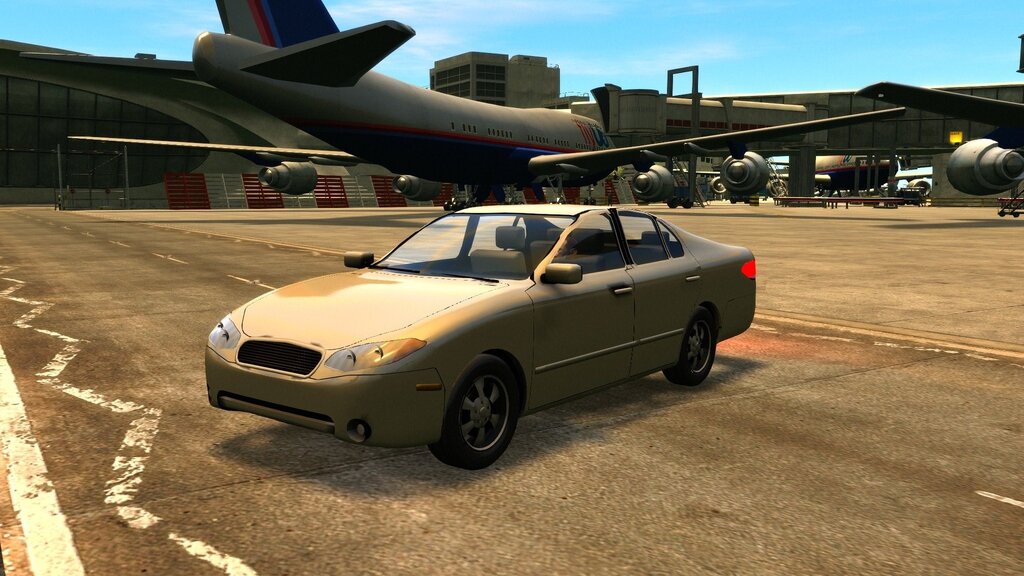
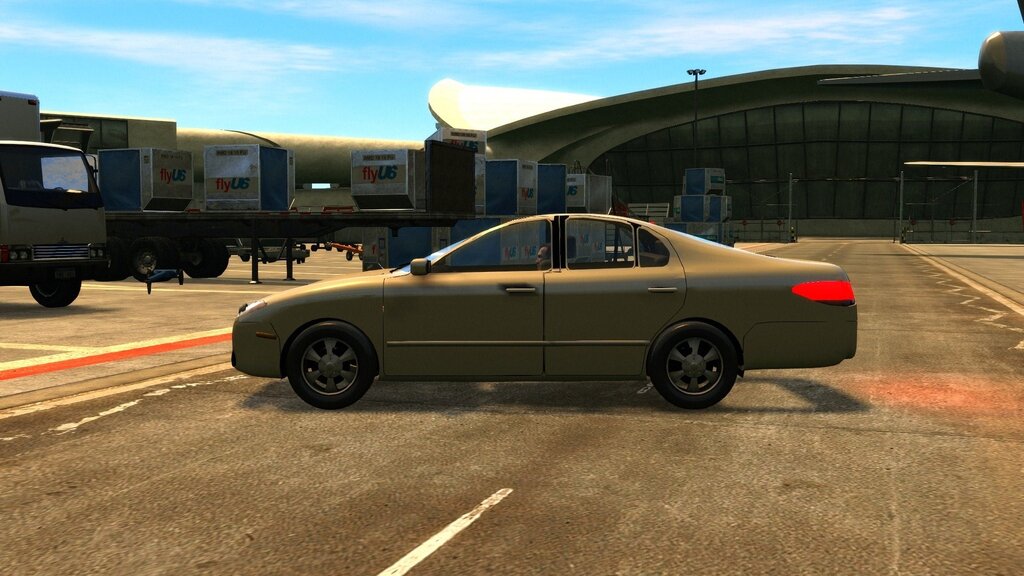
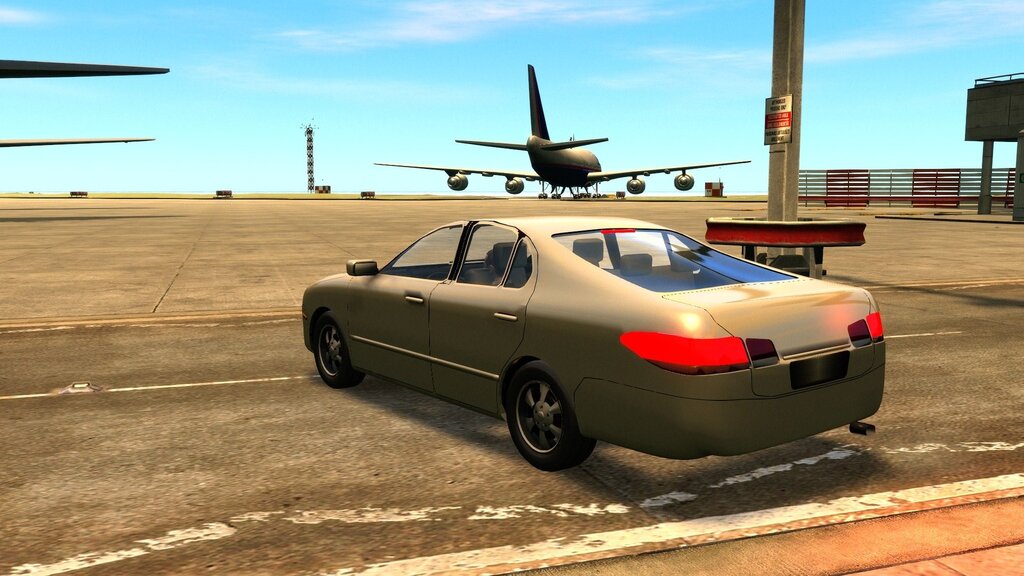
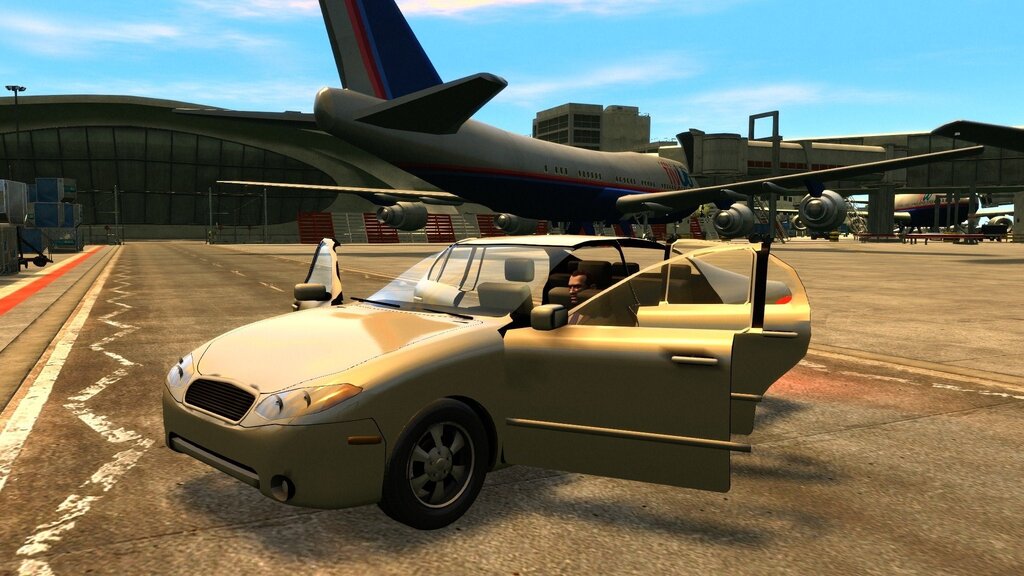
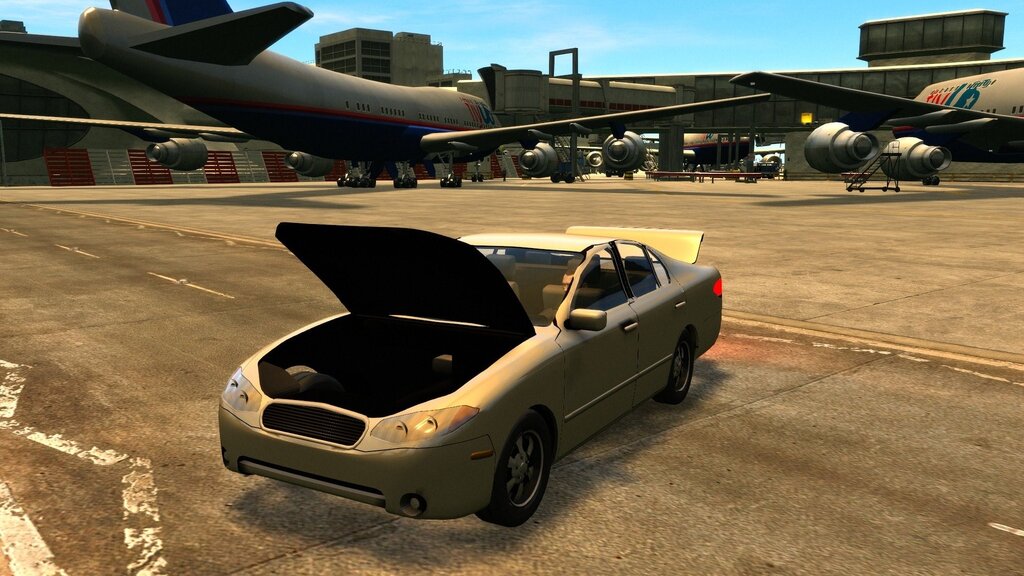
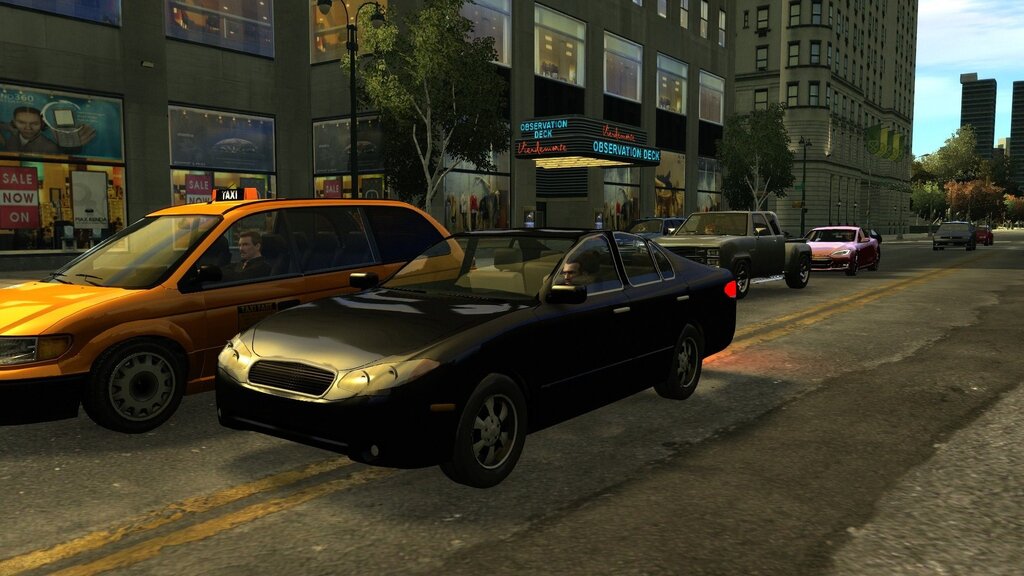
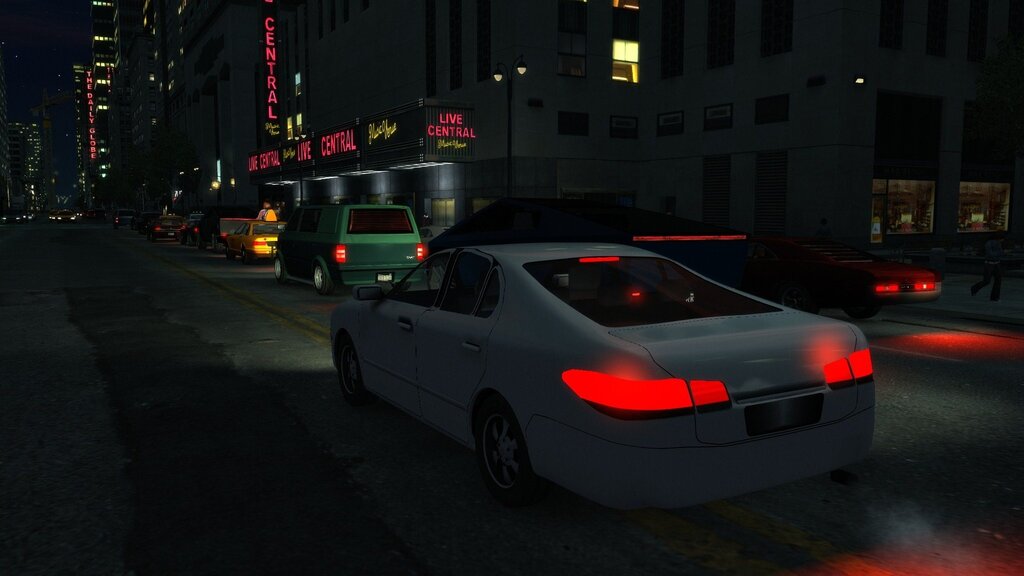
A mid-size luxury sedan in the style of the mid-2000s: a soft ride, a hushed cabin and a smooth V6 driving the front wheels. It is built from scratch for GTA IV, with real panel gaps, four opening doors, a bonnet and a boot lid, and damage like the stock cars. It is an add-on car, so no stock vehicle is replaced. A replace version for the Intruder or the Willard is also available. FEATURES
- Add-on car velvetv6: spawn it with any trainer that spawns cars by model name. Nothing in the game is replaced.
- Four opening doors, a bonnet and a boot lid, hinged like the stock cars, with breakable windows and lamps.
- Body damage and deformation, like the stock cars.
- Comfortable front-wheel-drive handling: about 1.6 tonnes and 225 hp, soft springs, little body roll, mild understeer at the limit. Calm on the motorway, easy in town.
- Lights that work like the real thing: projector headlamps, front and rear indicators, split tail lamps that light on the boot lid too, reversing lamps and a high-mounted brake lamp.
- Nine factory-style paints, from crystal white to oasis green.
- No plugin needed: only FusionFix.
REQUIREMENTS
- Grand Theft Auto IV: The Complete Edition for PC, version 1.2.0.59 (Steam or Rockstar Games Launcher). Windows, or a Mac with CrossOver.
- FusionFix 5.1.1 or newer by ThirteenAG and team. It loads the car's model archive and its name text from the update folder.
- Optional: a trainer that spawns add-on cars by model name, for example Liberty's Legacy 2.4.1.
None of these are included in the download. DOWNLOAD AND INSTALL Installing takes about five minutes. You copy one folder into the game and paste three lines into three text files. There is no installer, and nothing in the game's own common folder is changed. Before you start
- Back up your GTA IV folder (or at least update\).
- Install FusionFix (see the README's requirements). Start the game once to check that it works, then close it.
- Find your GTA IV folder: it is the one with GTAIV.exe in it. On Steam it is usually Steam\steamapps\common\Grand Theft Auto IV\GTAIV.
What's in the zip VelvetV6-\ Game Folder\ update\z-VelvetV6\velvetv6.img the car (model and textures) update\common\text\6.gxt the car's name (7 languages) Data Lines\ vehicles.ide.txt carcols.dat.txt handling.dat.txt one line each, to paste README.txt LICENSE.txt CHANGELOG.txt SHA256SUMS.txt manifest.json Install
- Download VelvetV6-.zip from the download section and unzip it. To check the download, compare the files with SHA256SUMS.txt.
- Open the zip's Game Folder and copy its update folder into your GTA IV folder. Let it merge with the update folder that is already there; you don't need to replace any existing file.
- Add the three data lines. In your GTA IV folder, open update\common\data:
- If vehicles.ide, carcols.dat or handling.dat is missing there, copy it in from common\data first. Never edit the files in common\data itself.
- If another add-on car already put these files there, keep them and add our lines to them.
- Open each file in a plain text editor (Notepad works) and paste the line from the matching .txt file in Data Lines. Each .txt file says where its line goes:
- vehicles.ide: inside the cars section, just before that section's end line
- carcols.dat: inside the car3 section, just before that section's end line
- handling.dat: on its own line among the other car rows
- Paste the lines exactly as they are (they contain tabs) and save as plain text.
- Start the game and spawn velvetv6 with your trainer. With Liberty's Legacy, add velvetv6 on its own line to the trainer's add-on car list (Liberty's Legacy\Lists\addon_vehicle_models.txt in your GTA IV folder), and the car shows up in its add-on vehicles menu.
On a Mac with CrossOver Do the same steps inside your CrossOver bottle:
- In CrossOver, open the bottle's C: drive and go to the GTA IV folder, usually Program Files (x86)\Steam\steamapps\common\Grand Theft Auto IV\GTAIV.
- Follow steps 1 to 4 above in that folder.
Uninstall
- Delete these from your GTA IV folder:
- the folder update\z-VelvetV6\
- the seven text files update\common\text\american6.gxt, french6.gxt, german6.gxt, italian6.gxt, japanese6.gxt, russian6.gxt and spanish6.gxt. Check first that no other mod uses them.
- Remove the three Velvet V6 lines from vehicles.ide, carcols.dat and handling.dat in update\common\data. If you copied those files there only for this mod and no other mod uses them, you can delete them instead.
- If you added velvetv6 to your trainer's add-on list, remove that line too.
- Before you uninstall, don't leave the car in a safehouse garage. Get out of it somewhere else, then save.
Troubleshooting
- The trainer can't spawn velvetv6, or the game says the model isn't found: Fix: Check that update\z-VelvetV6\velvetv6.img is in place and that the vehicles.ide line is inside the cars section of update\common\data\vehicles.ide.
- The game crashes while loading after you added the lines: Fix: A data line is broken or in the wrong section. Paste it again from Data Lines, with its tabs. Make sure the VELVETV6 row is in handling.dat, because the vehicles.ide line refers to it.
- The car's name shows as VELVETV6 or nothing at all: Fix: The text files update\common\text\*6.gxt are missing, or another mod replaced them (see Known issues in the README).
- The engine is silent: Fix: That's expected for the add-on version: see Known issues in the README. The replace versions have the replaced car's sounds.
DRIVING See the controls. KNOWN ISSUES
- No engine sound in the add-on version. GTA IV gives add-on cars no sound entry of their own, and the file that holds them can't be shipped with a mod. The replace versions use the replaced car's sounds.
- Text slot: the car's name uses the game's 6.gxt text files. Another mod that uses the same slot will clash with it. Tell us and we'll move to another slot.
- The data lines are added by hand: there is no installer (see the install steps).
- Four seats: GTA IV cars carry at most four people, so the middle of the rear bench stays empty.
- Developed on a Mac with CrossOver. Windows should behave the same; please report anything that doesn't.
CREDITS, TERMS AND SUPPORT Credits
- Author: Penandpaerdamn
- Built with:
- Blender 5.2: the car is generated by our own Python scripts, not modelled by hand or taken from anywhere
- Python 3 and numpy: our own converter to GTA IV's model, texture and archive formats, and the procedural textures
- The game's own vehicle skeleton template, so the car moves and breaks like a stock car. No Rockstar meshes, textures or sounds are included.
- Third-party code and assets: none are included. The model and textures are original.
- Needs, and thanks to: FusionFix by ThirteenAG and the FusionFix team, and the GTA IV modding community, whose research on the game's file formats made this possible.
AI use Some mod sites require this disclosure. Velvet V6 was made with AI coding assistants (Claude by Anthropic and OpenAI Codex), directed by the creator.
- Written by the AI assistants: the Blender scripts that generate the model from measured reference photos, the tools that convert it to GTA IV's formats, the code that generates the textures, and these documents.
- Done by the creator: the idea, the look and the features, every decision along the way, and testing the car in game.
- No AI image, video or audio generators were used. The model is generated from code, the textures are synthesized by code, and the pictures on this page are renders of the mod's own model.
Terms of use Velvet V6 is free. These terms cover the files in the release zip, and the text and images on its Liberty Garage wiki pages. The source code is not part of either and is not licensed here. You may
- Download it, install it on your own PCs and Macs, and play it, free.
- Show it in screenshots, videos and streams. A link back to the official page is appreciated. Rockstar Games' own video policy covers the game footage itself.
- Put it in a modpack for your own private use.
Please don't
- Re-upload or mirror it on another site, or in a public modpack. Link to the official page instead.
- Share edited versions (changed model or textures) without asking first.
- Sell it, charge for it, or put it behind a paywall, a subscription or an early-access tier.
- Take the model, textures or sounds for another game, mod or product without permission.
- Claim it as your own work or remove the credits.
Free, with an optional tip Velvet V6 is a non-commercial fan mod, in line with Rockstar Games' mod guidelines. It is never sold. A tip link may be offered: a tip is a thank-you, and it unlocks nothing. Every version stays free for everyone. Tip link: Ko-fi No warranty It is provided as is, without warranty of any kind. Back up your game files before installing any mod. Not affiliated Velvet V6 is an unofficial fan-made mod. It is not affiliated with or endorsed by Rockstar Games, Take-Two Interactive or any car maker. Copyright (c) 2026 perlytiara. All rights reserved, except as allowed above. Download and help
Yorumlar
Şu ana kadar 0 yorum gönderilmiş.