Vice City / Silahlar
HBRA3 From call of duty Advanced warfare
- N4SPEED GTA | yükleyen: N4SPEED GTA
- 02/15/2025
- 1548 İndirmeler
Puanlamalar:
Lütfen önce giriş yap.
Favoriler:
İndir
7.49Mb
7.49Mb
Videos
Henüz hiç video eklenmedi.Bu moda video eklemek için giriş yapmış olman gerekir.
Açıklama
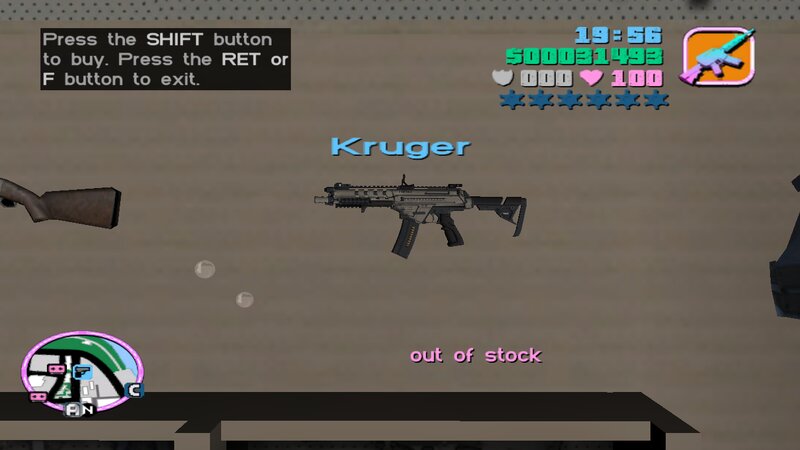
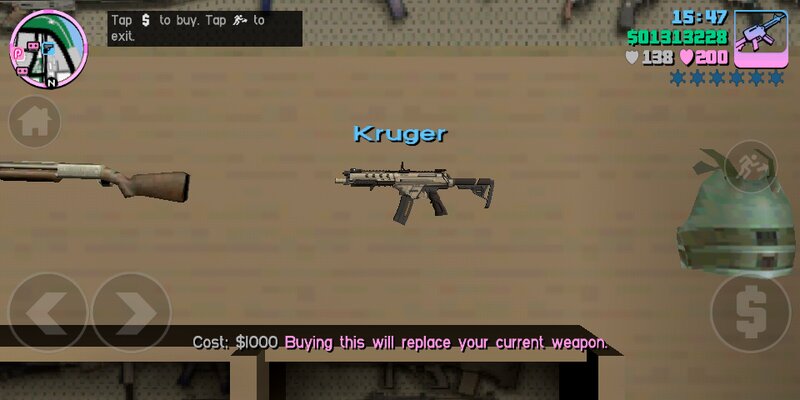
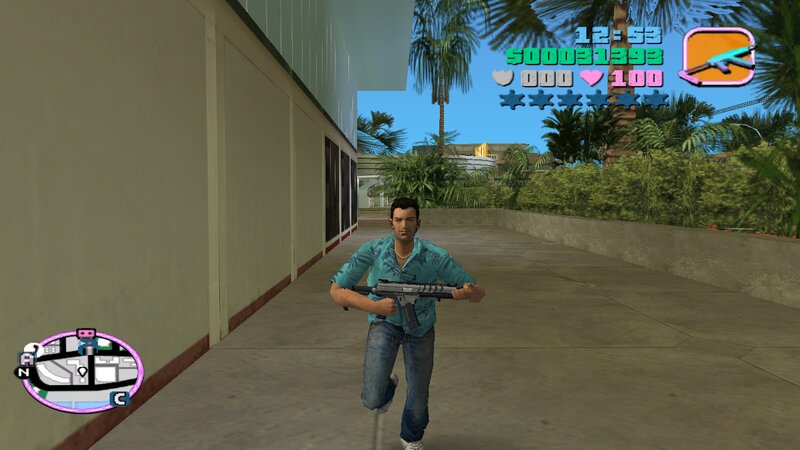
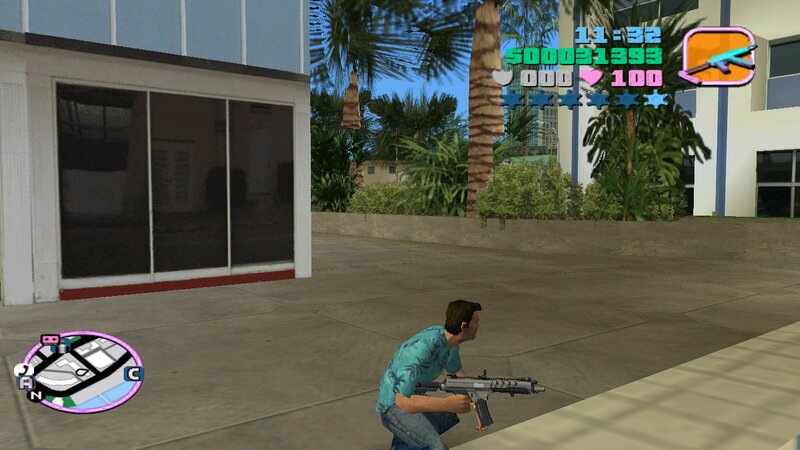
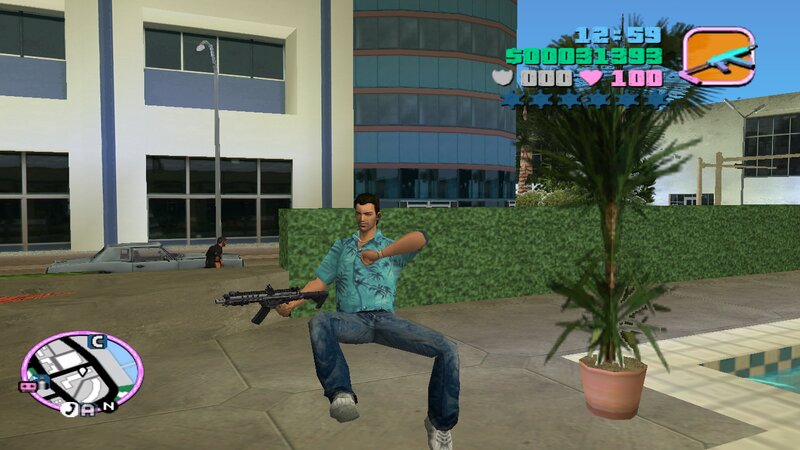
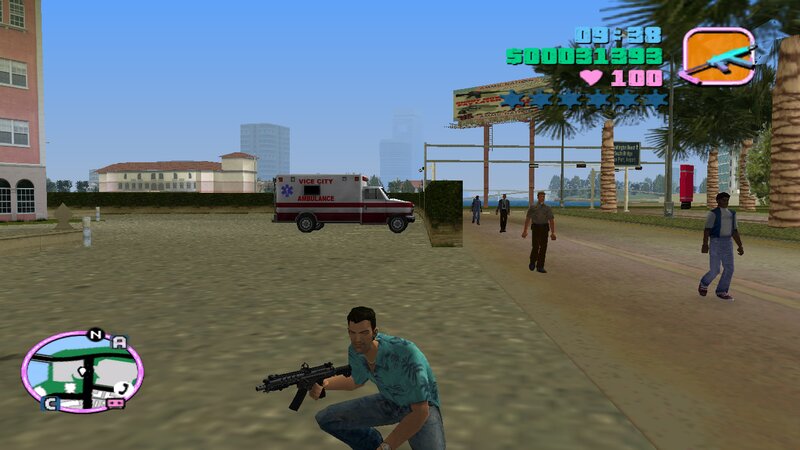
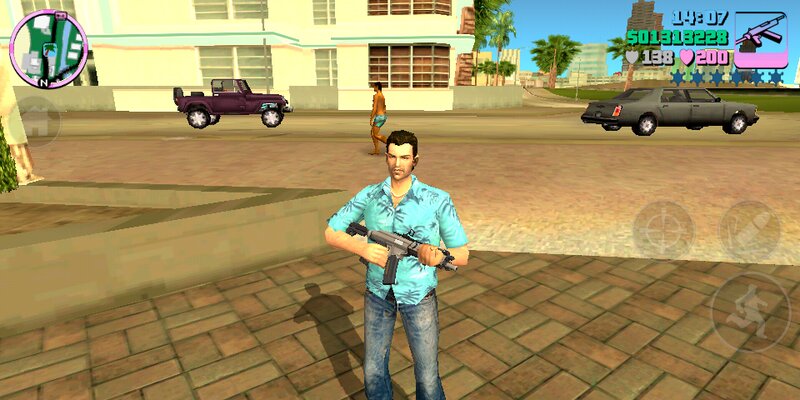
HBRa3 from call of duty Advanced warfare for GTA Vice City
Add to GTA Vice City new powerful weapon from the game call of duty Advanced warfare.
The weapon has improved characteristics and fits perfectly into the gameplay.
Features:
1-High quality textures and models.
2-Increased damage, improved accuracy and increased clip size.
3-Compatible with both PC and Android.
Installation Steps:
-For PC version:
1-First create a backup copy of your game files before starting the installation.
2-With "Txd Workshop" locate the game's installation folder and move to "models",Open the file "gta3.img" and replace "ruger.dff & ruger.txd".
3-After That go to folder "data" and replace "weapon.dat".
-For ANDROID version:
1-Open "GTA IMG Tool" and follow the path:"Android/Data/com.rockstargames.gtavc/files/texdb".
2-In the files "weap_high.img" and "gta3.img",delete "ruger.dff" and select "Add with replace" to import the new weapon.
3-Use the "TXD Tool" to open "gta3hi.txt" and "gta3img.txt",select "Import Uncompressed 32bpp" to add the textures.
4-Now move to the data folder to replace the old files.launch the game and enjoy!
#Note:
Follow all steps carefully to avoid mistakes.
Add to GTA Vice City new powerful weapon from the game call of duty Advanced warfare.
The weapon has improved characteristics and fits perfectly into the gameplay.
Features:
1-High quality textures and models.
2-Increased damage, improved accuracy and increased clip size.
3-Compatible with both PC and Android.
Installation Steps:
-For PC version:
1-First create a backup copy of your game files before starting the installation.
2-With "Txd Workshop" locate the game's installation folder and move to "models",Open the file "gta3.img" and replace "ruger.dff & ruger.txd".
3-After That go to folder "data" and replace "weapon.dat".
-For ANDROID version:
1-Open "GTA IMG Tool" and follow the path:"Android/Data/com.rockstargames.gtavc/files/texdb".
2-In the files "weap_high.img" and "gta3.img",delete "ruger.dff" and select "Add with replace" to import the new weapon.
3-Use the "TXD Tool" to open "gta3hi.txt" and "gta3img.txt",select "Import Uncompressed 32bpp" to add the textures.
4-Now move to the data folder to replace the old files.launch the game and enjoy!
#Note:
Follow all steps carefully to avoid mistakes.
Yorumlar
Şu ana kadar 0 yorum gönderilmiş.